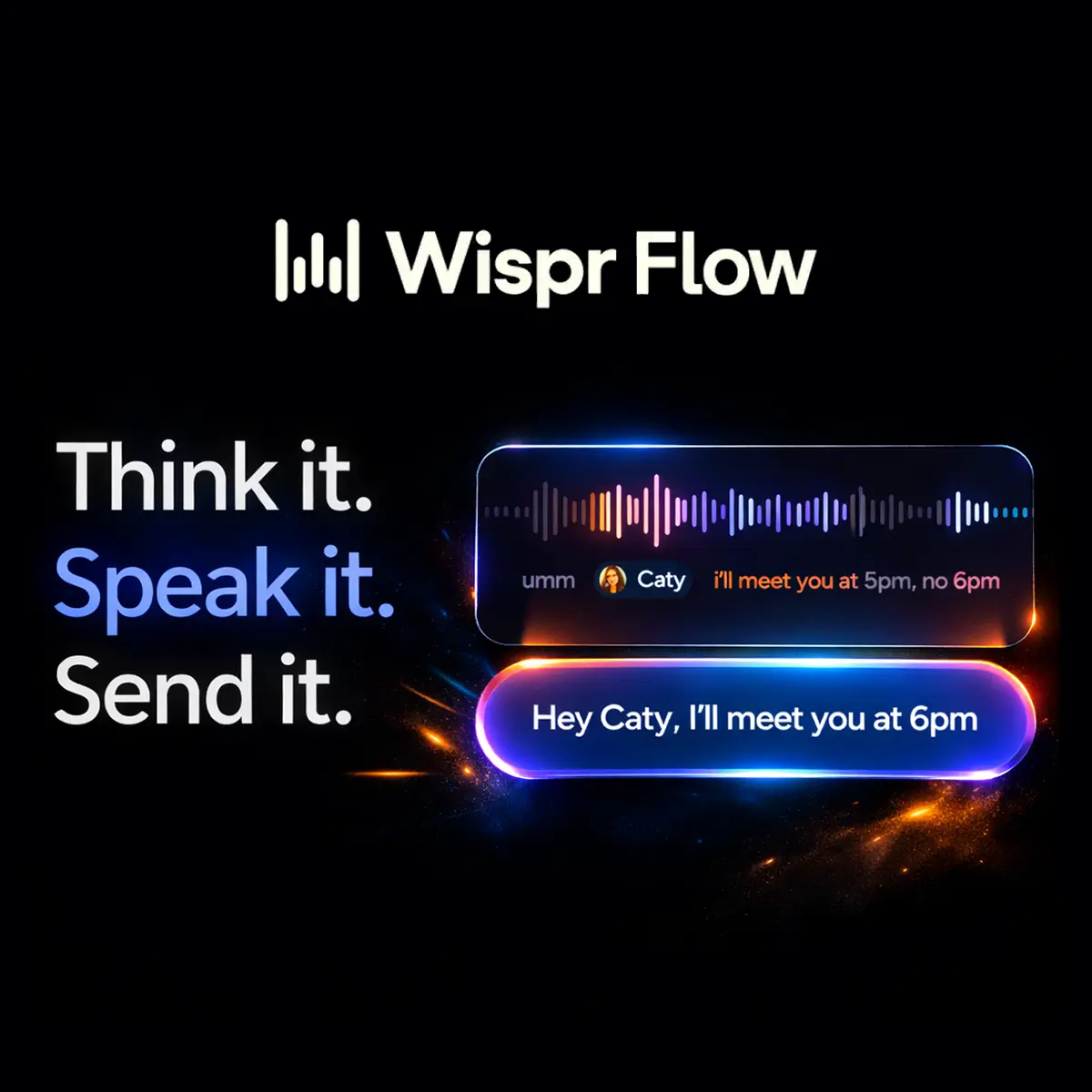







What is Wispr Flow?
Wispr Flow AI is an AI-driven voice-to-text dictation and editing platform that converts spoken language into formatted, context-aware text across applications. It pairs speech recognition with real-time generative edits to reduce post-dictation polishing and accelerate written output. Wispr Flow sits in the category of productivity and assistive software that blends advanced speech recognition, natural language processing (NLP) and lightweight generative models to function as an always-available writing assistant. It positions itself as a cross‑platform, enterprise-capable solution for professionals who prioritise speed, consistency and accessibility over basic transcription. The product was developed to replace slow typing and brittle dictation tools in knowledge-work environments: founders drafting strategy, CMOs producing content, engineers composing code and teams exchanging high-volume messages. Typical deployments are individual users on laptops and mobile devices, and shared dictionaries or dashboards in team and enterprise settings to preserve terminology and brand voice. Strategically, Wispr Flow delivers measurable time-to-output improvements by combining near-real-time transcription with automated editing, snippet insertion and specialist vocabulary handling. For businesses that create a large volume of written work or technical artefacts, it reduces friction in creation workflows and offers a centralised way to standardise language across communications and code documentation.Key insights
- Wispr Flow provides real-time, context-aware voice transcription with in-line AI edits designed to remove filler words, correct punctuation and apply formatting rules.
- It is cross-platform (macOS, Windows, iOS, Android) and integrates with common productivity and development tools such as Slack, Gmail, Notion, Google Docs, Cursor and GitHub.
- The platform includes a personal dictionary that adapts to industry terms and names, plus team-shared dictionaries to preserve brand terminology and legal language across users.
- Wispr Flow is positioned for both accessibility use cases and high-velocity content creation, claiming substantial speed gains versus typing and basic dictation tools.
- Key business trade-offs include cloud-based processing for accuracy and model updates, which introduces privacy and compliance considerations for regulated data.
Business Problems It Solves
Wispr Flow addresses productivity, accessibility and consistency deficits in knowledge-work where written output is a bottleneck. It reduces time spent on first-draft creation, lowers editorial overhead and standardises specialised vocabulary across teams.- Slow content creation: Converts speech into near-final prose, enabling faster ideation-to-draft cycles and shorter campaign turnaround times for marketing teams.
- Inconsistent terminology: Shared dictionaries and team settings reduce brand drift and legal risk by enforcing approved terms and phrasing.
- Accessibility and inclusion: Provides an alternative input modality for people with dyslexia, repetitive strain injuries or visual stress, improving workforce participation and productivity.
- Developer friction: Enables “vibe coding” and code-aware transcription that speeds prototype creation and documentation for engineering teams.
- Meeting follow-up overload: Rapidly converts spoken decisions and action items into structured notes, reducing lost or misremembered tasks.
Core Features
Below are core capabilities translated into explicit business outcomes for executive decision-making.AI Auto-Edits
Business Value: Automatic removal of filler words, punctuation correction and sentence restructuring reduce editorial cycles. This lowers time-to-publish for marketing content and decreases the cost of human copy-editing for routine outputs.Personal Dictionary and Adaptive Learning
Business Value: Persistent recognition of industry jargon, proper nouns and product names minimises transcription errors across teams. For enterprises, this improves compliance and brand consistency while reducing manual corrections.Voice Shortcuts and Snippet Library
Business Value: Reusable voice-triggered templates and snippets accelerate repeatable communications—briefs, stakeholder updates, release notes—boosting throughput and freeing senior staff to focus on strategic tasks.Cross-Platform Integration
Business Value: Universal input support within any text field—email clients, messaging apps, IDEs—ensures productivity gains are realised across the technology stack rather than confined to a single silo.Code-Aware Transcription (Vibe Coding)
Business Value: Recognition of code syntax, filenames and technical constructs speeds developer prototyping and documentation. This reduces context-switching and supports faster iteration cycles in engineering teams.Team Dictionaries and Usage Dashboards
Business Value: Centralised control over shared terminology and analytics on usage patterns enable governance, training decisions and measurement of adoption—key for scaling a tool across departments.Command Mode and Workflow Commands
Business Value: Voice commands to format, insert snippets or trigger templates allow hands-free, high-volume content assembly, improving efficiency in situations where keyboard input is impractical or slow.Main Strategic Use Cases
Wispr Flow is most strategically relevant where speed, consistency and domain vocabulary matter. It is not a general-purpose automation platform but a productivity multiplier for text-heavy businesses.- Executive drafting: CEOs and Founders dictating investor updates, strategy memos or board materials to shorten prep time and capture raw thinking with minimal friction.
- Marketing content velocity: CMOs and content teams producing campaign copy, briefs and social assets faster, enabling increased experimentation and faster time-to-market.
- Developer documentation and prototyping: Engineering teams using voice to draft code snippets, PR descriptions and inline comments, reducing context switching.
- Customer support and sales enablement: Rapid conversion of call notes into structured knowledge-base entries and playbooks to improve response time and consistency.
Business Operations Use Cases
Operational teams can embed Wispr Flow into workflows to reduce repetitive tasks and improve knowledge capture.- Product management: Capture sprint retrospectives and translate spoken prioritisation into structured tickets.
- Regulatory and legal teams: Use shared dictionaries to enforce standard clauses and preserve legal phrasing when drafting or transcribing meetings.
- Remote-first organisations: Improve asynchronous communication by turning spoken stand-ups into searchable, edited updates.
- Learning and development: Record coaching sessions and convert them into learning artefacts with standardised terminology.
Ready to improve your marketing with AI?
Alternatives and Competitor Tools
Decision-makers should weigh Wispr Flow against established transcription services and platform-native solutions according to scale, integration needs and privacy constraints.Otter.ai
Otter.ai focuses on meeting transcription and summary for enterprise collaboration. It excels at multi-speaker meeting capture and integrates with conferencing platforms; however, it is less aggressive on real-time generative editing and cross-app insertion compared with Wispr Flow, making Otter.ai a better fit for meeting capture rather than universal writing acceleration.Dragon NaturallySpeaking (Nuance)
Dragon provides high-accuracy, localised dictation with enterprise-grade customisation and strong offline support. It is historically strong for regulated industries where on‑premises processing is required, but it lacks modern cross-app integrations and cloud-based adaptive shared dictionaries that facilitate team-scale terminology management.Apple Dictation
Apple Dictation is a native speech-to-text capability integrated into the Apple ecosystem. It is convenient for individual users on Apple hardware but lacks the advanced editing, snippet libraries and team governance features required for organisation‑wide deployment.Google Voice Typing / Recorder
Google’s voice tools provide robust speech recognition and integration with Google Workspace. They are attractive for organisations deeply invested in Google’s ecosystem but offer limited bespoke vocabulary management and generative editing compared to Wispr Flow. Synthesis: Choose Wispr Flow when you need cross-platform, context-aware dictation that accelerates writing and enforces shared terminology at team scale. Choose alternatives when offline processing, specialised meeting capture or deep platform-native integration is the higher priority.Comparison Table (Wispr Flow vs Otter.ai)
| Decision Factor | Wispr Flow | Otter.ai |
|---|---|---|
| Primary capability | Real-time voice-to-text with AI auto-edits and cross-app insertion | Meeting transcription, speaker detection and summaries |
| Use-case fit | Writing acceleration across email, docs, messaging and IDEs | Conference capture and meeting notes |
| Automation level | High—auto-editing, snippets, command mode | Moderate—transcription, highlights, automated summary |
| Workflow efficiency | Designed to reduce drafting and editing cycles in many apps | Designed to speed post-meeting synthesis and search |
| Scalability | Team dictionaries and dashboards for governance | Enterprise admin controls and integrations for conferencing |
| Privacy & security | Cloud processing with account controls; requires due diligence for regulated data | Cloud processing with enterprise compliance options; meeting-record-specific controls |