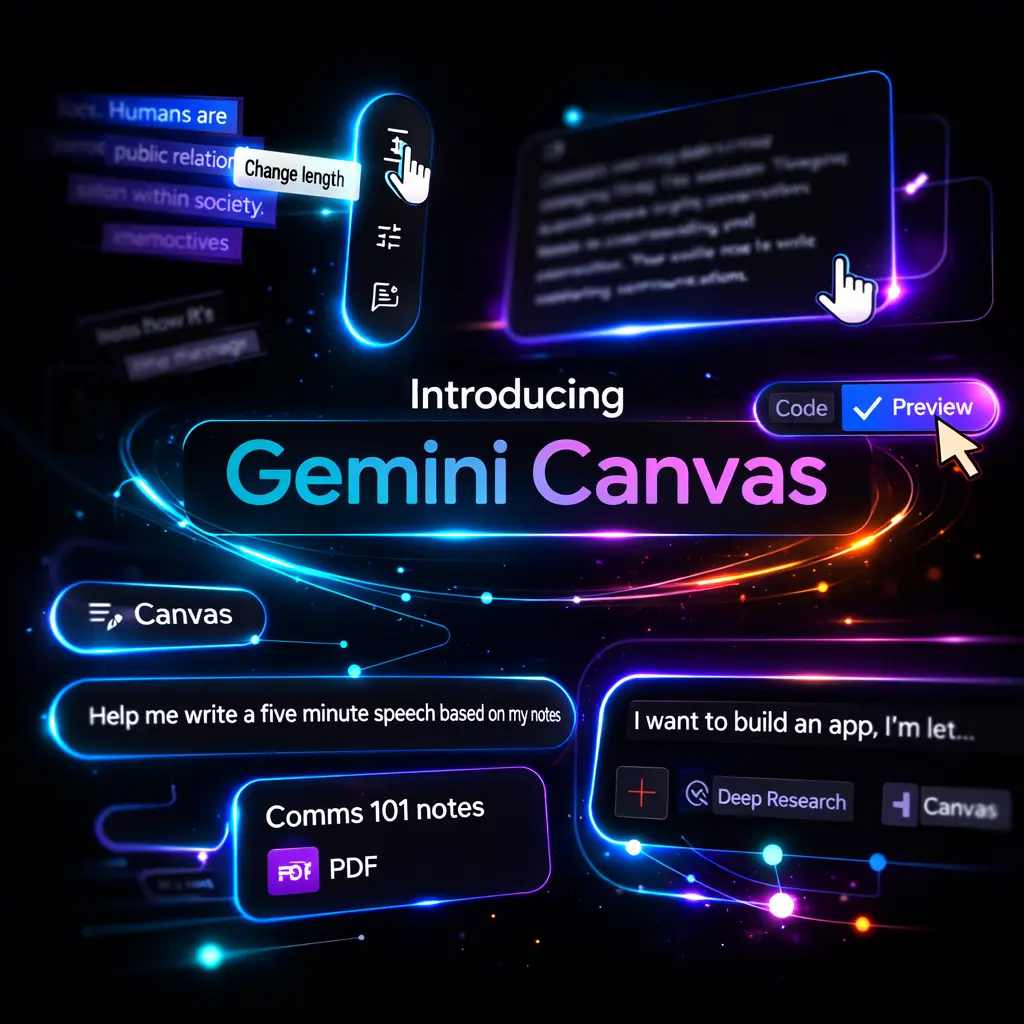
Gemini Canvas in Google Gemini provides an interactive, generative-AI workspace inside Google Gemini that lets teams create, iterate and preview documents, prototypes, code snippets and lightweight apps without deep engineering effort. It combines the conversational intelligence of Gemini with a persistent visual workspace for drafting, refining and previewing outputs in context.
Positioned as an AI-assisted prototyping and content-creation platform, Gemini Canvas sits between an AI assistant and a lightweight development environment; it is not a full IDE or a conventional document editor but an integrated tool intended to accelerate ideation, low-code prototyping and multimodal content production for business users and specialist teams.
Originating as a feature within Google’s Gemini product line, Canvas launched in 2025 to address common friction points in ideation-to-prototype workflows: combining Deep Research outputs, conversational prompting and immediate previews (for example HTML/React code previews) in a single pane. It typically runs inside the Gemini web and mobile apps and leverages different Gemini models depending on subscription tier.
For executives, the strategic value of Gemini Canvas is that it shortens the loop from concept to tangible prototype, reduces dependency on hand-coding for early validation, and centralises iterative knowledge produced by Deep Research into reusable assets. In practice it is most valuable for rapid experimentation, internal demos, market testing and cross-functional briefing where speed and clarity matter more than production-grade engineering.
Key insights
Gemini Canvas is a generative-AI workspace embedded in Google Gemini that supports documents, code previews and interactive prototypes.
All Gemini users have access to Canvas; paid tiers (Pro/Ultra) unlock higher-capability models (Gemini 3) and extended context windows up to 1 million tokens.
Canvas integrates directly with Gemini Deep Research and supports export paths such as Google Docs, enabling knowledge portability across enterprise workflows.
Initial code-preview capabilities were web-only at launch; model and mobile feature parity are evolving post-launch.
Compared with ChatGPT Canvas and Anthropic Artifacts, Gemini Canvas emphasises research integration and multimodal context rather than being purely a collaborative whiteboard.
Executive Summary
Gemini Canvas is a strategic accelerant for product, marketing and operations teams that need fast, evidence-backed prototypes and content drafts rather than production software. It reduces time-to-insight by combining model-driven research, iterative prompting and immediate previews so decision-makers can validate concepts before committing engineering resources.
Business Problems It Solves
Canvas addresses several practical business frictions that slow innovation cycles or inflate early-stage costs.
Stops proof-of-concept delays by enabling non-technical stakeholders to produce functional mock-ups and content rapidly.
Reduces misalignment between research and implementation by persisting Deep Research findings directly within the same workspace used to prototype solutions.
Minimises lost knowledge across handoffs: drafts, design notes and test prompts live alongside prototypes and can be exported to standard formats.
Decreases early-stage engineering costs by shifting validation and iteration left, so only production-ready designs proceed to engineers.
Core Features
Core functional capabilities of Gemini Canvas map directly to business outcomes and should be evaluated for operational fit and ROI.
Multimodal Workspace
Business Value: The workspace accepts text, images and research fragments allowing teams to test visual concepts, narrative copy and technical snippets in one place; this accelerates cross-functional collaboration and reduces context switching between tools.
Prompt-to-Prototype Generation
Business Value: Business users can convert prompts and research into interactive prototypes or draft apps, which shortens validation cycles and conserves engineering effort until concepts are validated in-market.
Code Preview (Web)
Business Value: Immediate HTML/React previews enable product and design leads to assess user flows and UI iterations quickly; this reduces rework and improves the quality of design handoffs to engineers.
Deep Research Integration
Business Value: Linking research outputs to prototypes ensures decisions are evidence-led; marketing and strategy teams can trace claims back to source material, which strengthens stakeholder buy-in and regulatory compliance where applicable.
Configurable Model Tiering
Business Value: Tiered access (free vs Pro/Ultra) maps model capability to budget and use-case criticality: use higher-capacity models for large-context strategy projects and lower-cost models for quick ideation, enabling cost-controlled scaling.
Export and Collaboration Paths
Business Value: Exports to Google Docs and shareable Canvas links reduce time spent recreating artefacts in separate tools, improving knowledge reuse across campaigns and project teams.
When choosing a generative workspace for prototyping and ideation, businesses should evaluate direct competitors and adjacent tools by strategic fit rather than feature parity alone.
ChatGPT Canvas (OpenAI)
ChatGPT Canvas focuses on a conversational, block-based workspace with strong multimodal editing and collaboration; it is optimised for iterative brainstorming and visual composition. Strategically, ChatGPT Canvas is suited to teams prioritising conversational workflows and third-party integrations, while Gemini Canvas emphasises embedded research and Google ecosystem exports.
Anthropic Artifacts
Anthropic’s Artifacts is designed for durable knowledge capture and longer-term interpretability of model outputs. For businesses that prioritise auditability and safe deployment, Artifacts provides stronger guardrails; Gemini Canvas competes by providing deeper research integration and a wider model family within Google’s product stack.
NotebookLM (Google)
NotebookLM is a research-centred tool for summarising and interrogating documents; it serves knowledge workers focused on research synthesis. Compared with Canvas, NotebookLM excels at long-form document interrogation, whereas Canvas is better for turning research into tangible prototypes and marketing assets.
Traditional Tools: Google Docs + Low-Code Platforms
Traditional document editors and low-code platforms remain alternatives for teams that require control and compliance. They are more mature for production workflows but lack the rapid AI-driven ideation and prototype previewing that Canvas provides; use them when production-grade deployment and governance are paramount.
Choice synthesis: choose Gemini Canvas when rapid, research-backed prototyping and cross-functional iteration are priority; consider ChatGPT Canvas or Anthropic when conversational workflow preferences, safety guarantees, or specific integrations dominate the decision criteria.
Comparison Table
Decision Factor
Gemini Canvas
ChatGPT Canvas
Primary positioning
Research-integrated prototyping within Google ecosystem
Conversational visual workspace with broad integrations
Model support
Gemini 2.0 Flash (free); Gemini 3 on Pro/Ultra with large context window
OpenAI models (tiered); varying context windows depending on plan
Research integration
Direct Deep Research links and audio overview support
Supports uploaded files and chat histories, less focused on search research
Code preview
Web-based HTML/React preview at launch; mobile parity evolving
Supports basic visualisation and code snippets; integration maturity varies
Export and portability
Export to Google Docs and shareable Canvas links
Export to Markdown, images and other collaboration platforms
Best fit
Enterprises leveraging Google ecosystem for evidence-led prototyping
Teams focused on conversational design, rapid visual ideation and integrations
Governance & safety
Google governance and controls; nuances depend on enterprise settings
OpenAI’s safety tools and policies; enterprise controls available
Correction: Canvas accelerates prototyping and reduces early engineering demand but is not a substitute for production engineering, testing and operationalisation required for scalable, secure software.
Mistake: Canvas is only for marketers or designers.
Correction: While accessible to non-technical users, Canvas is valuable across functions—product, research, operations and sales—for rapid validation, knowledge capture and cross-functional briefing.
Mistake: Canvas outputs are production-ready code.
Correction: Code previews are for validation and demonstration; generated code often needs review, refactoring and security hardening before production deployment.
Mistake: Free access means all features are identical to paid tiers.
Correction: Paid tiers unlock higher-capacity models and extended context windows that materially affect performance on long or complex projects; subscription choice should match project criticality.
Mistake: Canvas eliminates the need for structured research processes.
Correction: Canvas amplifies research value but must be paired with disciplined evidence workflows and governance to avoid prototype sprawl and misinterpreted outputs.
Key Definitions
Gemini Canvas
An interactive, generative-AI workspace embedded in Google Gemini for drafting, prototyping and previewing documents, code and lightweight apps.
Deep Research
A Gemini capability that summarises and links source material, enabling evidence-based prompts and context-rich prototypes in Canvas.
Context window
The amount of text or tokens the model can consider at once; larger windows allow Canvas to handle longer research documents and more complex prototypes.
Code preview
An in-workspace visual rendering of HTML or React code generated by the model to demonstrate user interface and interaction concepts.
Gemini 3
A higher-capacity Gemini model available on paid tiers, offering extended context windows and improved generative capabilities for complex business tasks.
Frequently Asked Questions
How do I access Gemini Canvas?
Canvas is available inside the Google Gemini web and mobile apps. Access is granted to all Gemini users by default; advanced model access requires Pro or Ultra subscriptions.
Is Gemini Canvas free to use?
Yes, Canvas itself is available to all Gemini users. However, higher-capability models and larger context windows are restricted to paid tiers, which matter for large-scale or complex projects.
Can Canvas generate code suitable for production?
Canvas can generate and preview code for prototyping and user-flow validation, but generated code typically needs review, optimisation and security checks before production deployment.
How does Gemini Canvas differ from ChatGPT Canvas?
Gemini Canvas is tightly integrated with Google’s Deep Research and export paths like Google Docs and emphasises research-driven prototyping; ChatGPT Canvas is more conversation-first and focuses on integration breadth. Choose based on ecosystem fit and the nature of workflows.
Is Canvas available on mobile with full feature parity?
Canvas is available on mobile, but some features (notably code preview) were web-first at launch. Check current release notes for mobile parity updates before committing to mobile-only workflows.
When to use Gemini Canvas vs a full development environment?
Use Canvas for early validation, prototyping and cross-functional alignment; if you require scalable, resilient production systems, transition to a full development environment and apply standard engineering practices.
How can my marketing team use Canvas?
Marketing can produce campaign mock-ups, landing page drafts, A/B test concepts and content briefs tied to research in Canvas, accelerating time-to-market and improving evidence-based messaging.
What are the primary risks when adopting Canvas?
Risks include overreliance on generated outputs without verification, prototype sprawl, and governance gaps around data privacy and IP. Mitigate by establishing review processes and clear roles for prototype promotion to production.
Category :
AI Tools
Share This :
Posted On :
March 12, 2026
Author:INNA CHERNIKOVA
Marketing leader with 12+ years of experience applying a T-shaped, data-driven approach to building and executing marketing strategies. Inna has led marketing teams for fast-growing international startups in fintech (securities, payments, CEX, Web3, DeFi, blockchain, crypto), AI, IT, and advertising, with experience across B2B, SaaS, B2C, marketplaces, and service providers.
Contact us to collaborate on personalized campaigns that boost efficiency, target your ideal audience, and increase ROI. Let’s work together to achieve your digital goals.